
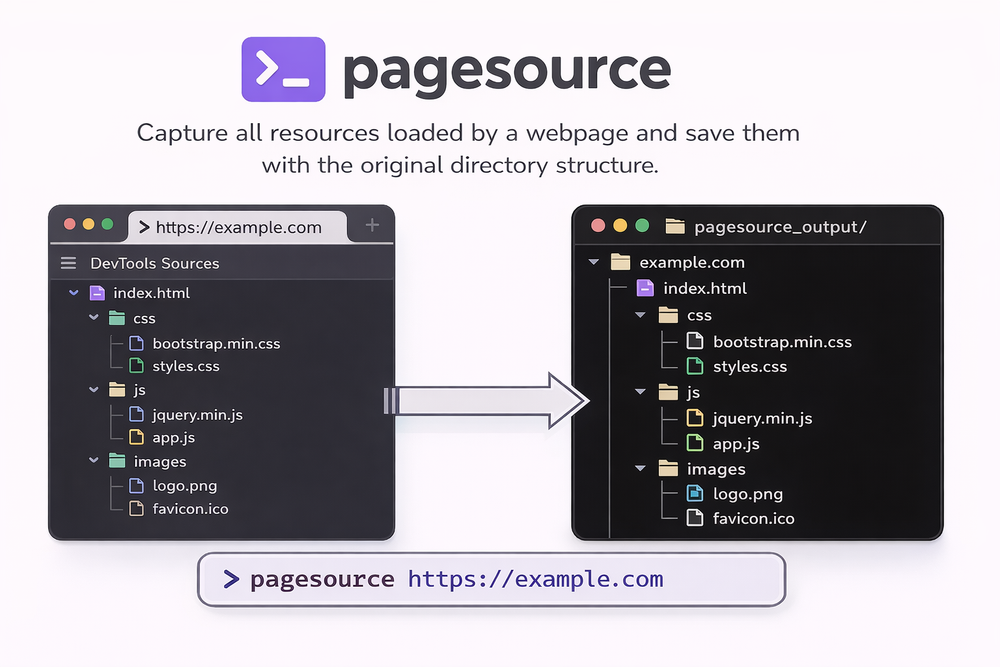
Ever tried to download a website and it just... broke? 😱
We’ve all been there. You see a beautiful website and you want to see how the CSS is organized or maybe you want to save a copy for offline study. You hit "Save Page As" in your browser, but what you get is a single, messy HTML file and a folder full of renamed files that don't work together. It’s frustrating, right?
Well, I found a tool that solves this perfectly. It’s called PageSource. 🥳
What exactly is PageSource?
If you check out the PageSource GitHub repository, you will see it is a Python-based CLI tool. Think of it as a magic button that does exactly what the "Sources" tab in your browser's DevTools does, but it saves everything to your computer automatically. 🗞️
Unlike other tools that just give you a "flattened" version of a site,PageSourcecaptures the actual JS, CSS, and assets exactly as they are loaded. It even preserves the original directory structure! 🚀
Why you should care about this tool?
Most web scrapers just grab the text or the final HTML. But if you are a developer, you want the real stuff. You want to see the folder structure, the original script names, and the actual style sheets.
Here is whyPageSourcestands out:
- Real Assets: It downloads the original files, not a modified version.
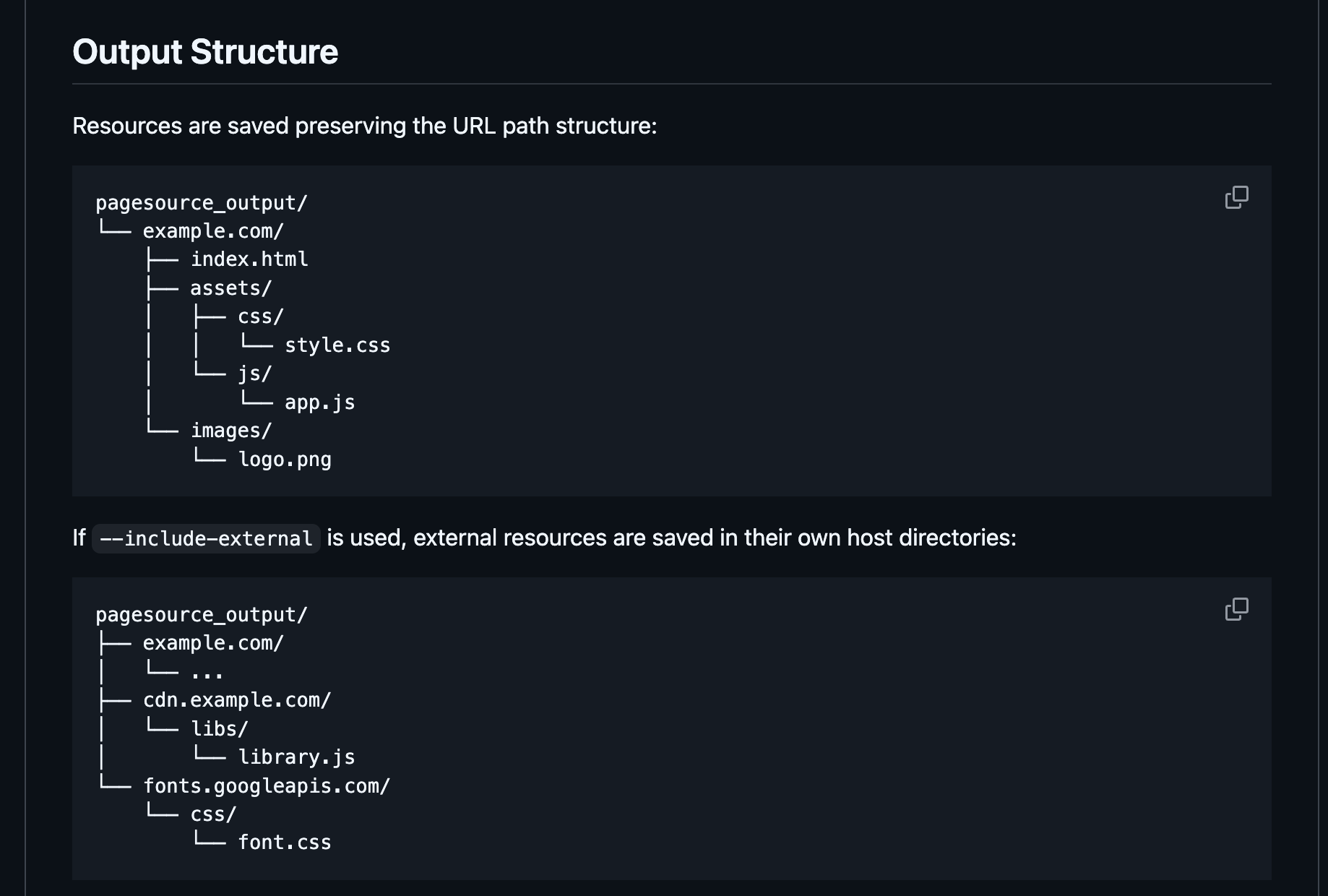
- Original Structure: If the site has an
/assets/js/folder, your download will too! 🥳 - Handles Modern Sites: Because it uses Playwright under the hood, it can handle JavaScript-heavy sites (SPAs) that other tools struggle with.
- External Resources: You can even tell it to grab assets from CDNs and third-party hosts so your local copy stays complete.
Is it hard to set up?
Not at all! Since it’s a Python tool, you can get it running in seconds. Just open your terminal and type:
pip install pagesource playwright install chromium
Once that’s done, you just point it at a URL. For example: pagesource https://example.com
And boom! You have a perfectly organized folder on your desktop with everything the site needs to run. 🚀
The magic behind the scenes!
PageSourceis smart. It doesn't just blindly download files. It looks at the "Content-Type" to figure out file extensions, sanitizes names to make sure they work on your computer, and even handles those annoying query strings in URLs.
It’s built for developers who want to learn from the best websites on the internet without getting a headache. 🥳
Ready to start exploring?
If you are a student learning web dev or a pro who needs to audit a site, PageSource is a must-have in your toolkit. It’s free, open-source, and does exactly what it says on the tin.
Go ahead and give the repo a star to support the developer! 🚀
What is the first website you are going to "reverse engineer" with this? Let me know in the comments! 🥳
Wait..
Building and maintaining tools like this takes a lot of effort. If you find it helpful, consider buying the developer a coffee or sharing this "simplified" guide with your tech friends! 🗞️
Subscribe to our newsletter Get the latest simplified tech tools and dev tips delivered right to your inbox. 🗞️