The "Jarvis" Era is Here! 🦞 Everything You Need to Know About Clawdbot!
If you’ve been on X (Twitter) lately, you’ve probably seen a lobster emoji 🦞 popping up everywhere. People are talking about their Mac Minis selling out and their "digital butlers" sending them WhatsApp messages. No, it’s not a fever dream it’s Clawdbot, the open-source AI assistant that’s taking Silicon Valley by storm. 🗞️
A lot of people are calling it the first AI agent that actually works. Let’s break down why everyone is obsessed with this "Claude with hands." 🥳
What exactly is Clawdbot?
Created by Peter Steinberger (the founder of PSPDFKit),Clawdbot is an open-source, self-hosted personal AI assistant.
Unlike ChatGPT or the standard Claude web interface, Clawdbot doesn't live in a browser tab. It lives on your hardware (like a Mac Mini or a VPS) and talks to you through the apps you already use, like Telegram, WhatsApp, Discord, or iMessage. 🚀
Why is everyone calling it "Jarvis"?
Most AI tools wait for you to ask a question. Clawdbot is different. It’s proactive.
Here is why it feels like the future:
- It Messages You First: It can send you morning briefings, remind you of a deadline you mentioned three days ago, or alert you if a website you're monitoring goes down. ⏰
- Persistent Memory: It doesn't forget. It stores your conversations and preferences as local Markdown files on your machine. The more you talk to it, the more it learns your "vibe." 🧠
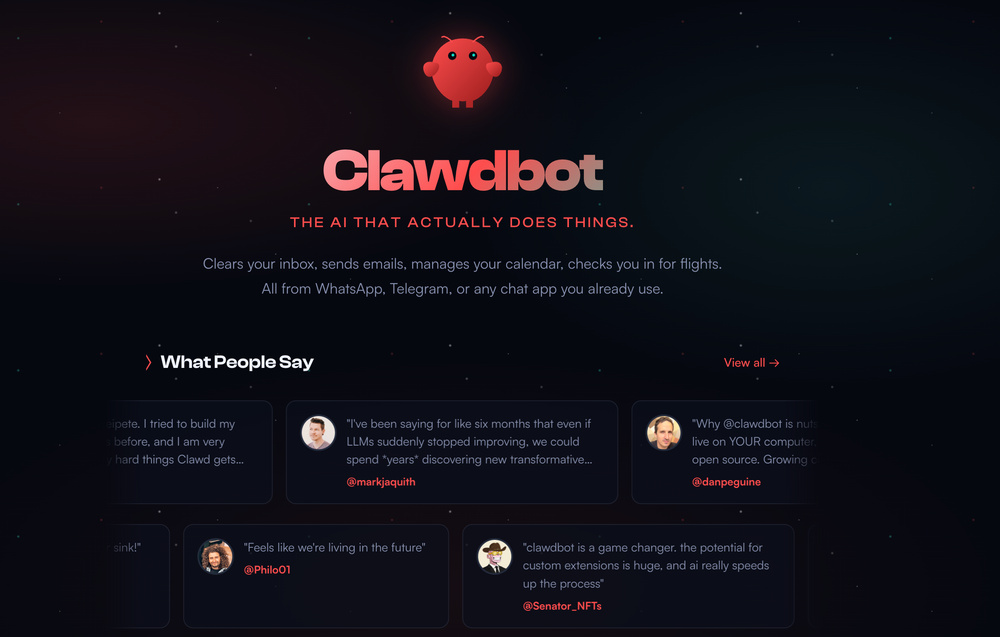
- Real-World Actions: It has "hands." It can read your emails, manage your Google Calendar, check you in for flights, and even run terminal commands or scripts on your computer.
- Open Source & Local: Your data stays on your hardware. You choose the "brain" (Claude 3.5, GPT-4, or even local models via Ollama). 🔒
Clawdbot vs. Claude Code: What's the difference?
This is where people get confused. Right? 🗞️
- Claude Code is for focused work. It lives in your terminal and helps you build software.
- Clawdbot is for your life. It lives in your pocket (via messaging apps) and handles the "life admin" that keeps you away from your code.
Think of it this way: Use Claude Code to build your app, and use Clawdbot to clear your inbox and remind you to eat lunch. 🥳
Is it hard to set up?
It’s definitely a "tinkerer’s tool." There’s no one-click installer yet. You’ll need to be comfortable with the terminal, setting up API keys, and maybe a bit of Docker.
But once it’s running, it’s like having a full-time employee who never sleeps. People are setting up "lobster stations" dedicated Mac Minis that sit on their desks just to run their personal Clawdbot 24/7. 🦞💻
The "Lobster" Warning 🦞
Because Clawdbot has access to your files and terminal, you have to be careful. It’s powerful, but giving an AI "hands" on your primary computer means you need to understand the security risks. Most users run it in a sandboxed environment for peace of mind. 🛡️
Ready to join the cult of the Lobster?
If you are tired of passive chatbots and want an AI that actually does things, Clawdbot is the most exciting project in the world right now. 🥳
Check out the GitHub repo and see what all the hype is about!
What’s the first task you’d delegate to your digital butler? Let me know in the comments! 🚀
Wait..
Setting up your own AI butler takes some work, but the payoff is huge. If you enjoyed this "simplified" breakdown, share it with your fellow tech nerds. Let’s see how many Mac Minis we can make go viral! 🗞️
Subscribe to our newsletter Get the latest AI agent news and dev tools delivered right to your inbox. 🗞️